Support
 Need help? Find it here.
-
Want to make fixed layout form such as magazines and books in electronic worksheets.
Select the e-book format of Namo Author be kept at a fixed layout is intended production of such as magazines and tutoring books, through the layout editor, you can also create.
[Create a fixed-layout electronic books]
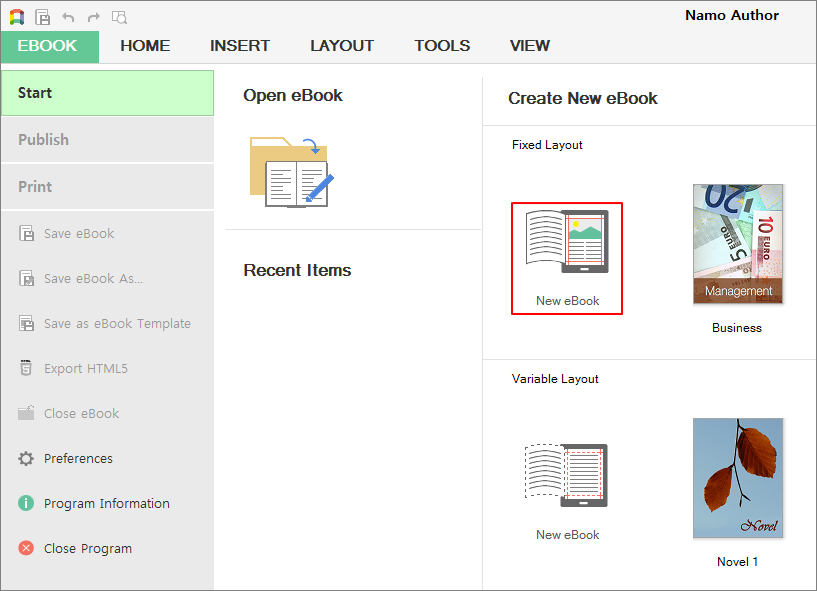
- Run Namo Author to select [starting eBooks>> Create a new e-book> Fixed Layout> New E-book].
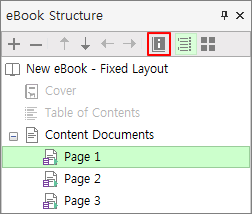
- Press the E-book Configure button of the [e-book Properties] panel.
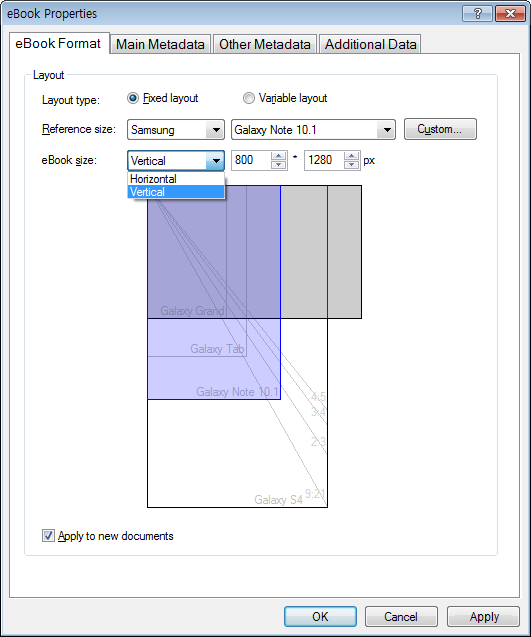
- After e-book Properties dialog box opens, e-book Format tab allows specifying the e-book size.
- Refer to Size: Specifies the size of the e-book by selecting the manufacturer and model of the mobile terminal.
- E-book Size: You can select the horizontal / vertical type, you can enter the width / height values.
- [User] button: If you do not have the size of the e-book that you wish to set by pressing the [User] button to set the desired size directly.
- Through additional information of the [Additional Information] tabs can set the 'basic shape', 'Spread both sides,' 'the page in progress direction.
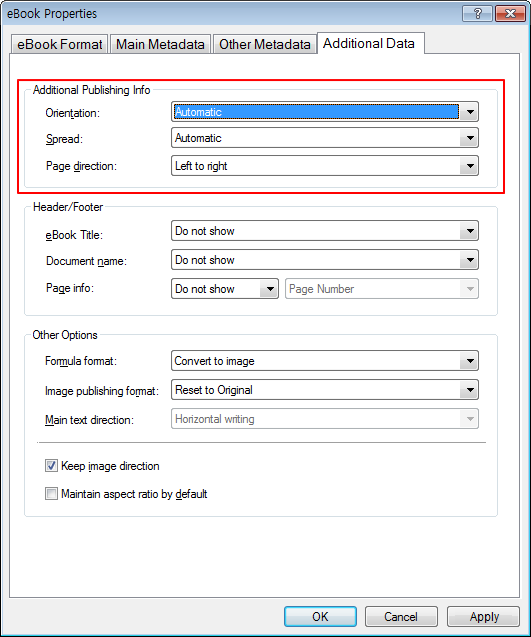
- The default appearance: Select the default view mode when viewing an e-book. Auto, horizontal, vertical, you can choose from.
- Spread both sides: select the both to view state of the e-book unfolds. You can choose between auto, disallow, only horizontal, only vertical-type, always or auto.
- Page advancing direction: select the page number, the direction of movement of the e-book. You can choose from left to right or from right to left.
- Save the e-book after the specified properties, including the size of the e-book.
◈ Note
Variable layout e-book has the advantage that the contents of the e-book space for relocation in accordance with the automatic adjustment (Reflow Layout) and change the font of the user terminal to the characteristics of various sizes, font size adjustment. It does not have the size value of the e-book, you can not set the default appearance, spreading both options.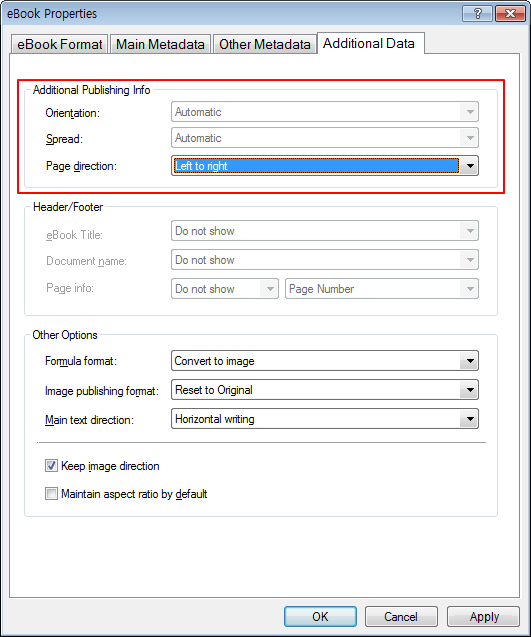
- Run Namo Author to select [starting eBooks>> Create a new e-book> Fixed Layout> New E-book].